All names
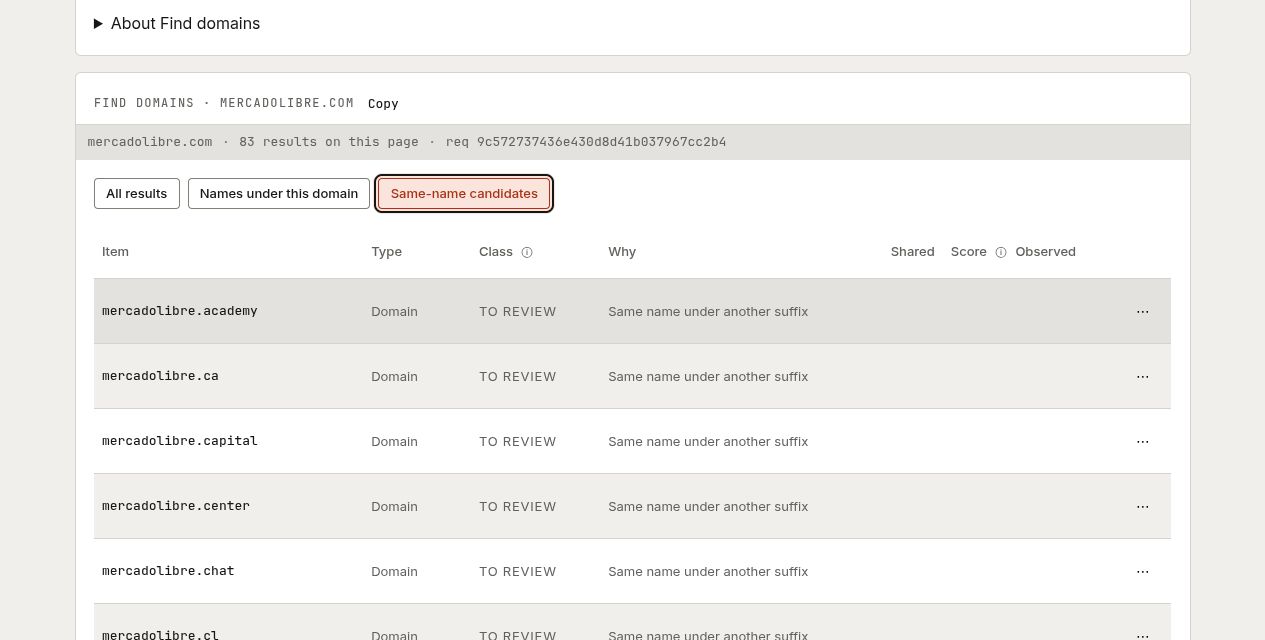
Enter a domain such as douban.com to list the names we have observed under it, including the domain itself, and other domains with the same name under another suffix. For example, mercadolibre.com may lead to mercadolibre.com.ar. The two groups, Under this domain and Same name elsewhere, share one table. Same-name candidates remain To review; a matching name does not establish ownership.
The Under this domain group is not limited to names with records of their own: it also includes hosts that other records point at, such as mail and name servers, CNAME and SPF targets, and SOA primaries. Each name is listed once, and the Seen as column says where it was observed: owner name, CNAME target, mail server (MX), name server (NS), SOA primary or SPF target. A page costs 1 unit, and so does each next page of names under the domain.
The Seen as filter narrows the names already loaded. With scripts on it costs nothing; without scripts each choice runs the lookup again for 1 unit. Same-name candidates stay on the page whatever you choose. The list holds the names we have observed, not every name that exists, and a missing candidate group is not proof that no other matching domain exists.
 Open image at full size
Filter loaded rows without spending units. Same-name matches are candidates to review, not ownership evidence. Captured example.
Choose All names on a candidate to see names observed beneath it, such as www.mercadolibre.com.ar if present. This is one explicit follow-up, not an automatic search of every candidate.
Points to
Choose a relationship and enter its target hostname. NS finds names using that nameserver; MX finds mail-host references; CNAME finds aliases; SOA finds the primary-server reference. SPF finds references in mail policy. The selected relationship determines the question, and a target also matches names beneath it.
IP addresses
Enter one address, such as 203.0.113.42, to find names observed resolving to it, or a range, such as 203.0.113.0/24, to find names observed on any address inside it. Both read forward A/AAAA observations, not PTR records. Available provider context describes the address, not the owner of every returned name.
Starting with a hostname? Inspect it in Current DNS, then choose one returned A or AAAA address's IP addresses action. This makes a separate, priced lookup for that address; the More menu of the same row offers the range around it. It does not search all addresses automatically.
TXT contains and Current DNS
TXT contains searches observed TXT text without regard to case. It also has an optional regular-expression mode. Current DNS shows the records observed for one name, with the dates and other available record details.
Read and continue
Tables use the same spacing and icon actions, with cards on phones. Prices appear once above the results. Hover over or focus an icon to see its action, target and exact price. Copy is free. Names offer discovery and inspection actions; typed values offer actions appropriate to that value. Columns reflect the question: a DNS record has a type and value, while a discovered name may not. Blank cells are not evidence of absence.
Next page replaces the current result page; it is not a free reveal of hidden rows. Each page costs a unit. Every metered follow-up shows its price before the click.
Use Investigations when you want to combine several signals, review proposed classes and save a working set. For programmatic use, see the API quickstart.
Open Lookup